Four Sites to Learn Power Platform and Stay Current 🧭
TL;DR: Four sites sit next to this blog. copilot.ninja and powerautomate.ninja (PowerPlatformAcademy Dojo) let you practice with belt exams, license checks and techniques that link to sources or to the tips here. Power Platform Governance and Power Platform Daily are curated, source-credited news summaries with RSS feeds. Pick by question: “What should I learn next?” is a Dojo, “What changed?” is Daily, “How do I keep this under control?” is Governance.
Around this blog, which gives you one tip a week with screenshots, there are four more sites by the same editor. They solve different problems, so here is what is on each of them, who it is for and how to use it.
💡 Challenge
Power Platform changes every week, and the useful material is scattered across blogs, Microsoft Learn and release notes. At the same time, most people do not know where they stand: which Copilot technique to learn next, whether their license covers a flow, or which governance decision comes first.
✅ Solution
Use each site for the one job it does:
| Question | Site |
|---|---|
| Where do I stand with Copilot Chat and Copilot Studio? | copilot.ninja |
| Where do I stand with Power Automate flows? | powerautomate.ninja |
| What is new in Copilot Studio, Power Apps, Power Automate, Power BI, Fabric? | Power Platform Daily |
| How do I run this safely in the organisation? | Power Platform Governance |
🔧 How It’s Done
1. Copilot Dojo: copilot.ninja
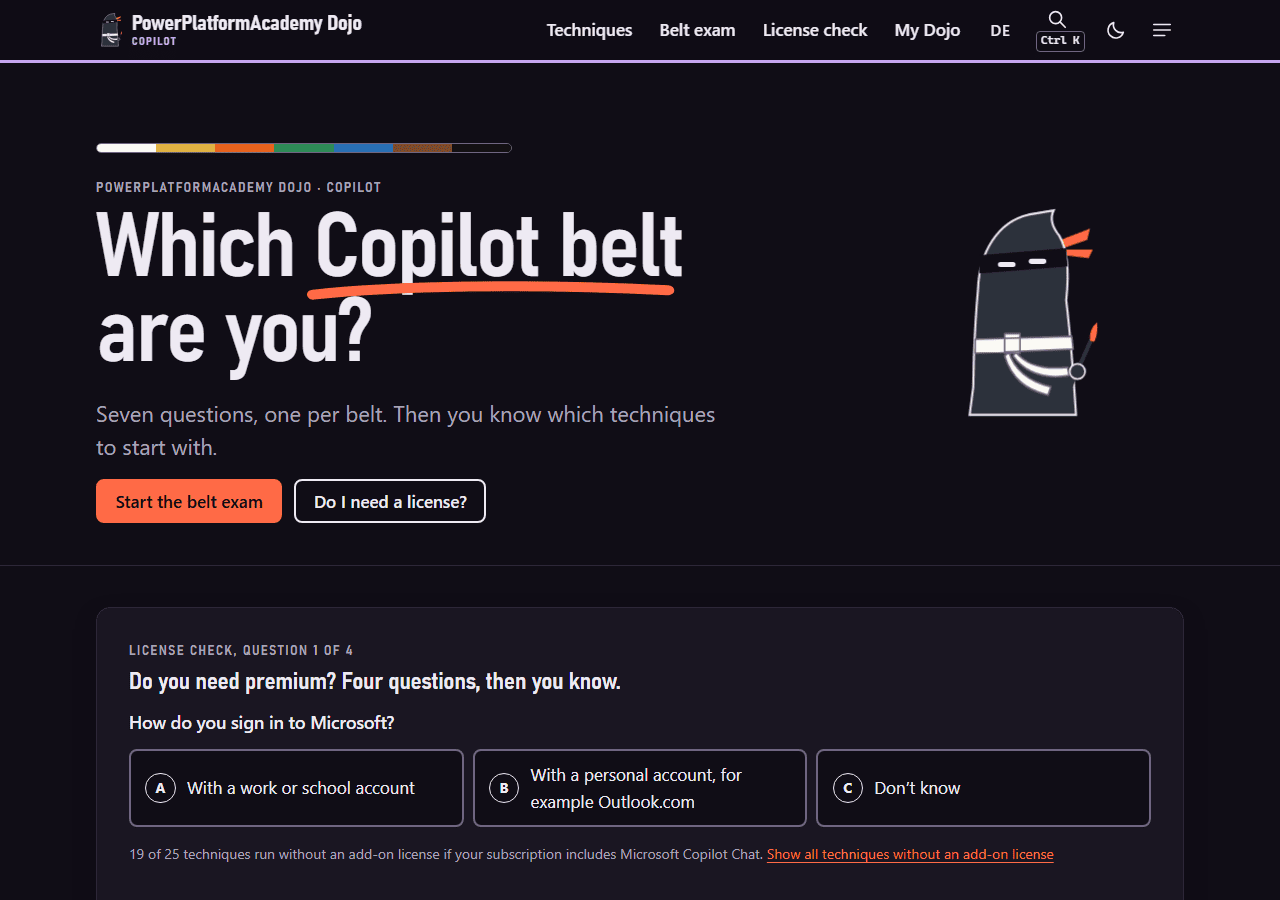 The English start page of copilot.ninja: belt exam and license check sit directly on the home page.
🔸 What you find: 5 basic forms and 25 techniques for Microsoft Copilot Chat, Agent Builder and Copilot Studio, sorted by seven belts from white to black. Every technique names its source on Microsoft Learn with a review date and states its limits.
🔸 For whom: anyone who uses Copilot at work, from the first clean prompt (white belt) to building and monitoring agents (green to black belt). The page marks the point where it gets technical: from green on you build agents, and the Copilot Studio trial is enough to practice.
🔸 How to use it:
- Open the belt exam: seven questions, one per belt. Your starting point is the first belt where you get one wrong, and you get three techniques to start with.
- Run the license check: four questions on whether you need premium. The home page states that 19 of the 25 techniques run without an add-on license if your subscription includes Microsoft Copilot Chat.
- Browse all techniques and filter by belt, tool or access (no add-on license, Agent Builder, with license). There is a print view as cheat sheet.
- Optional: add the Monday calendar entry for one technique per week, or subscribe to the Atom feed
https://copilot.ninja/en/feed.xml.
2. Flow Dojo: powerautomate.ninja
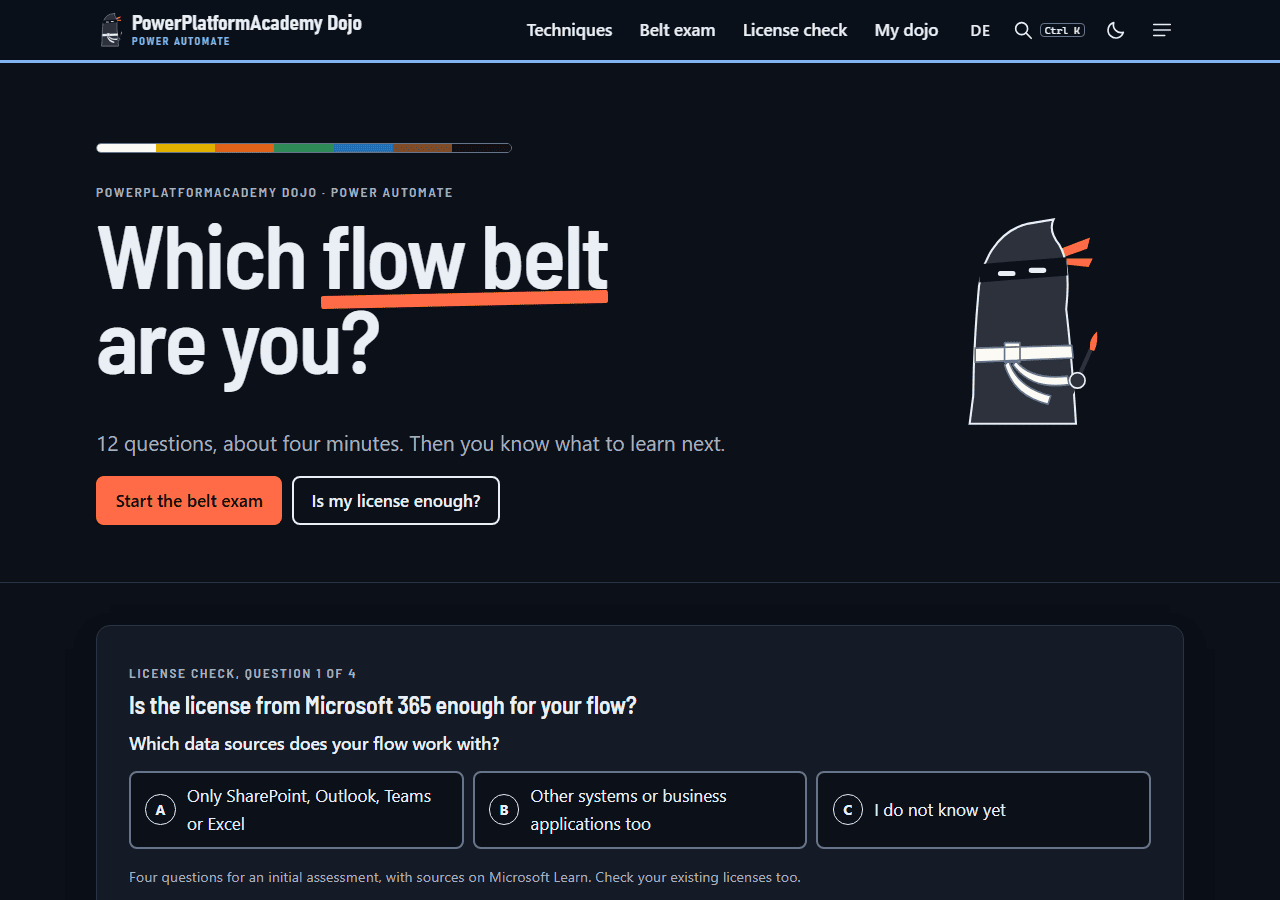 The English start page of powerautomate.ninja: same layout as the Copilot Dojo, content for cloud flows.
🔸 What you find: 24 techniques with a quiz question, an explanation and the expression from the tip. All questions come from the weekly tips on powerplatformtip.com, and every technique links to the full tip with screenshots. The belts run from white (operating) over yellow (expressions), orange (control), green (hardening) and blue (reading errors) to brown (architecture). The black belt is marked as in progress.
🔸 For whom: people who build cloud flows and want to find the gaps in what they know, or who want a quick way into the tips that match their level.
🔸 How to use it:
- Start the belt exam: 12 questions, drawn at random from a pool of 105 questions on the tips. All questions of a belt must be right to pass it, and two wrong answers in one belt end the exam.
- Use the license check: four questions on data sources, HTTP calls, Dataverse and desktop flows, as an initial assessment.
- On the technique wall, filter by belt, topic (for example Error handling or Loops & concurrency) and license (Standard or Premium), and mark techniques as practiced. The progress stays in your browser.
- Guess first, then read: each technique starts with a quiz question, and the solution explains the wrong answers too.
3. Power Platform Governance: powerplatformgovernance.com
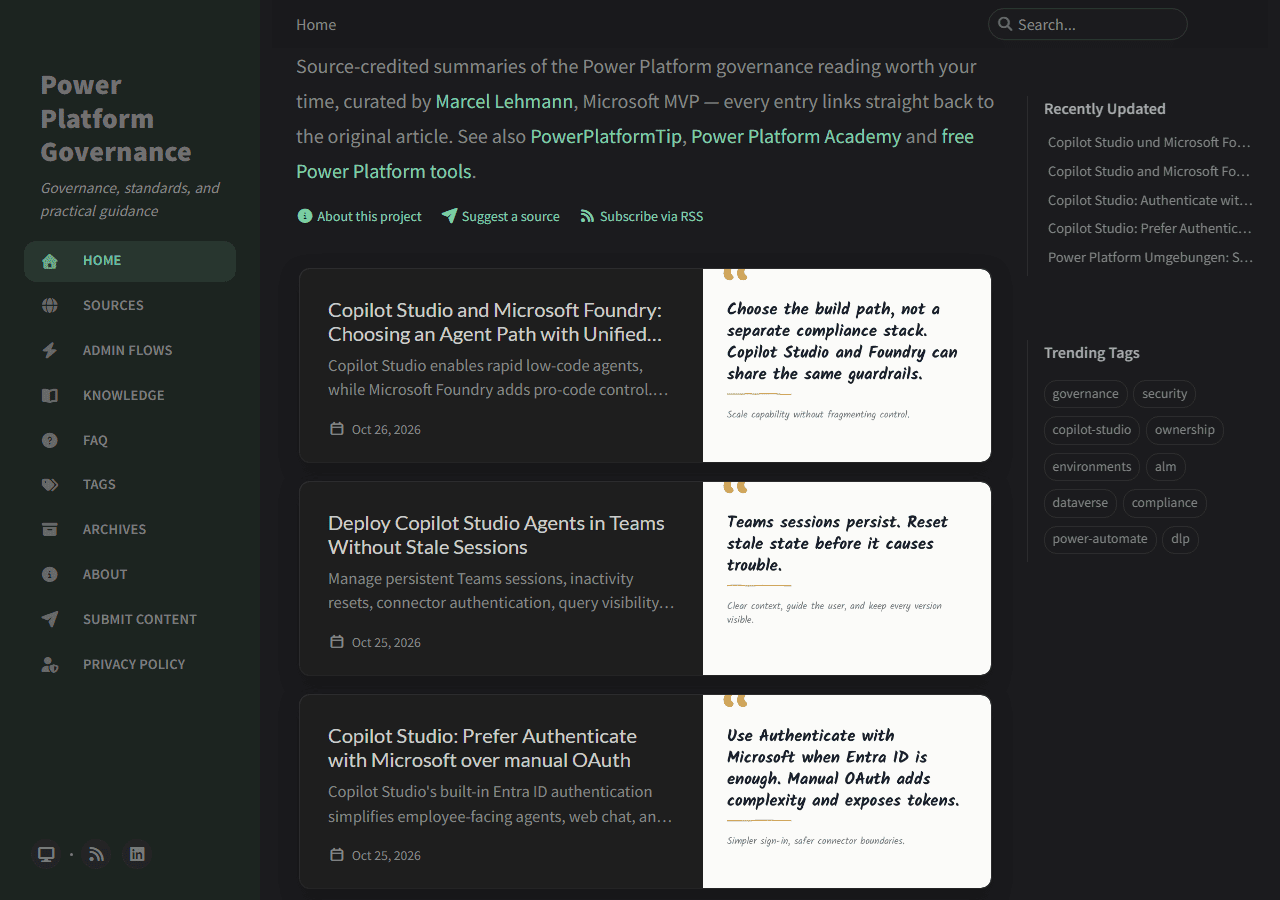 Power Platform Governance: curated entries in the middle, navigation on the left, a link “Subscribe via RSS” under the intro.
🔸 What you find: source-credited summaries of governance articles from different blogs: environment strategy, data policies and connectors, solutions and ALM, plus Dataverse, Power Apps, Power Automate and Copilot Studio administration. Each entry has a TL;DR, a governance takeaway and a link to the original. On top of the feed there are two sections that do not age with the news:
🔸 Admin Flows: ten flows to start automating administration (four inventories, a System Administrator role audit, DLP change tracking, owner reassignment, DLP suspension notifications and capacity warnings). Per the page, eight of the ten need only the free admin connectors and Microsoft Teams, and two call Microsoft Graph through your own app registration, which Power Automate treats as a premium action.
🔸 Knowledge: six guides in English and German, among them Dataverse security roles, the 25 questions of a governance strategy, five environment strategies, DLP policies and an AI cost comparison. The first five are built to be worked through with an AI assistant: paste the page address into an AI that can read web pages and ask it to walk you through the page.
🔸 For whom: admins, CoE teams and anyone who has to decide how Power Platform is used in a company.
4. Power Platform Daily: powerplatformdaily.com
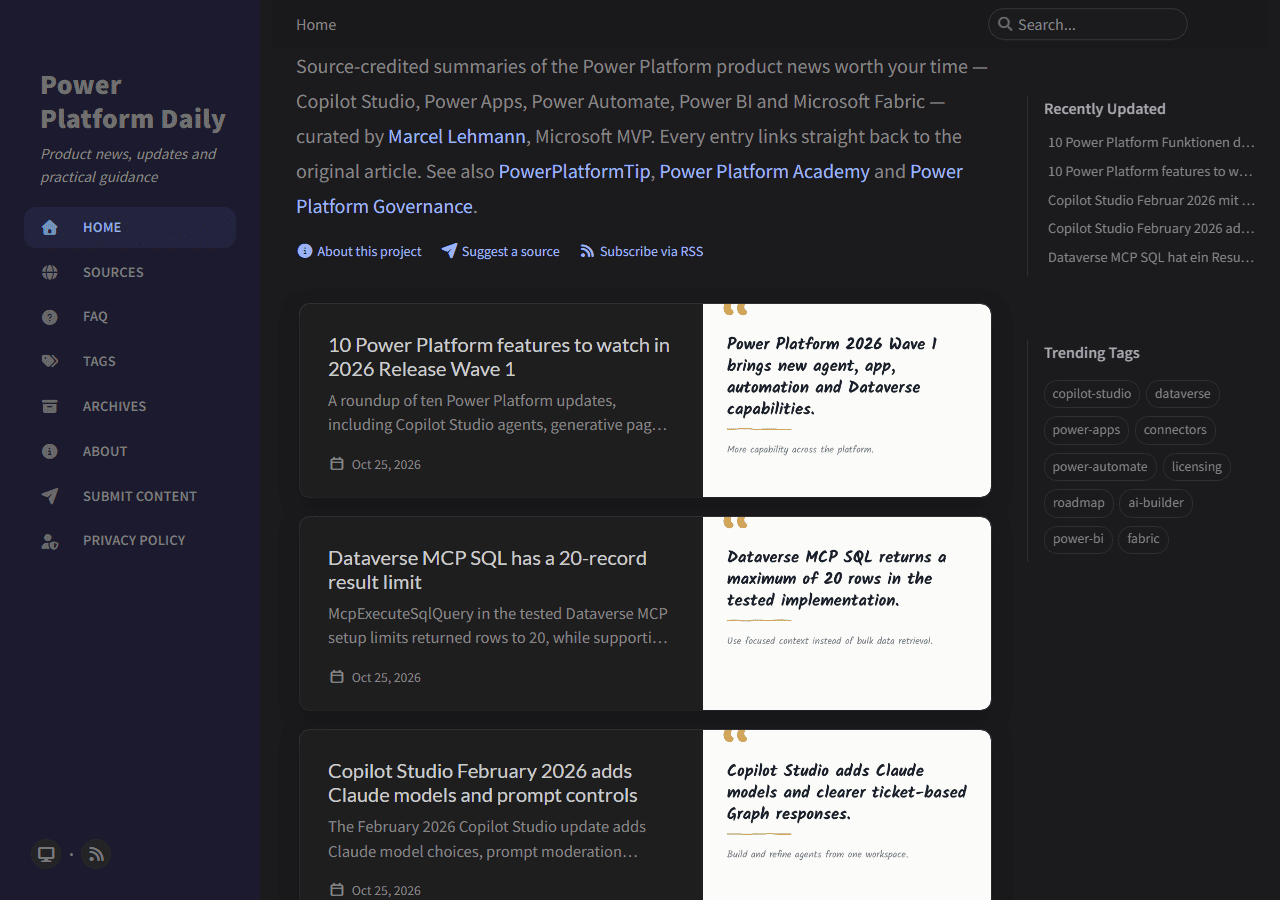 Power Platform Daily: same format as Governance, with product news instead of governance topics.
🔸 What you find: short summaries of product news and practical how-to articles on Copilot Studio, Power Apps, Power Automate, Power BI and Microsoft Fabric, each with a takeaway and a link to the original. The Sources page lists every publication that was featured, with the summaries per source.
🔸 For whom: makers and consultants who would otherwise check a dozen blogs by hand.
🔸 How it is selected: per the FAQ, every candidate goes through an automated relevance check before it is summarized. Governance, security, DLP, ALM and CoE content is left to Power Platform Governance, so an article only ever appears on one of the two sites.
5. Follow Daily and Governance with RSS
Both sites publish an Atom feed:
1
2
https://powerplatformdaily.com/feed.xml
https://powerplatformgovernance.com/feed.xml
🔸 Paste the address into any feed reader, or use the “Subscribe via RSS” link under the intro text of each site.
🔸 In Power Automate, the RSS connector has the trigger When a feed item is published. Point it at one of the feeds and add an action such as a Teams message, to get new entries where your team already works. Details: RSS connector reference.
🔸 You can also suggest an article, blog or RSS feed on the Submit page of Daily and Governance. Every suggestion is reviewed before publication.
🎉 Result
You know which of the four sites answers which question, and you have a routine that costs minutes: one belt exam to find your level, one Monday technique, and one feed for the news.
🌟 Key Advantages
🔸 Sources everywhere: the Copilot Dojo cites Microsoft Learn with a review date on every technique, the Flow Dojo links its license statements and limits to Microsoft Learn, and Daily and Governance link every entry back to the original author.
🔸 No sign-in for the Dojos: progress stays in your browser, visits are counted without cookies.
🔸 Honest scope: the Dojos say that belts are not a certification and that license checks are not licensing advice.
🔸 Fits this blog: the Flow Dojo is built from these tips and links back to each one.
⚠️ Good to Know
🔸 All four sites are independent projects and have no connection to Microsoft. Product capabilities and licenses change, so check the current Microsoft documentation before you apply anything in production.
🔸 The Dojo pages carry German folder names even in the English version (for example /en/pruefung/ for the belt exam).
🔸 On the Flow Dojo, the black belt is not finished yet, and its page says so.
🛠️ FAQ
Do the Dojos need a sign-in?
No. Both Dojos work without a sign-in. Your progress stays in your browser, and visits are counted without cookies, with only totals stored.
Is the belt exam a Microsoft certification?
No. Both Dojos say it plainly: the belts are a learning aid of the website, not a certification, and the license checks are an initial assessment, not licensing advice.
Which site has an RSS feed?
Power Platform Daily (powerplatformdaily.com/feed.xml), Power Platform Governance (powerplatformgovernance.com/feed.xml) and the Copilot Dojo (copilot.ninja/en/feed.xml for the English version). The Flow Dojo does not offer a feed; use its Monday calendar entry instead.
What is the difference between Daily and Governance?
Daily covers product news and how-to guidance for Copilot Studio, Power Apps, Power Automate, Power BI and Fabric. Governance covers security, compliance, DLP, environments, ALM, ownership and CoE topics. According to both FAQs, an article only ever appears on one of the two.
Are Daily and Governance official Microsoft sites?
No. Both state that they are independent projects edited by Marcel Lehmann. Each entry is a short summary that links back to the original article.
🔗 Related
🔸 #PowerPlatformTip 9: ‘Test Your Flow Before Activation’ - one of the white-belt techniques in the Flow Dojo.
🔸 #PowerPlatformTip 89: ‘Code View (Peek Code)’ - another white-belt technique: read an action’s definition to find errors faster.
🔸 #PowerPlatformTip 56: ‘Empowering Tools in CoE’ - the CoE side of what Governance covers.
🔸 #PowerPlatformTip 198: ‘Clean Up Zombie Flows Automatically (with a Dry Run First)’ - an admin flow in the spirit of the Admin Flows page.
🔸 #PowerPlatformTip 143: Reduce AI Costs with Thumbnail-First Document Processing - links to the AI cost comparison on Governance.
🔸 All Knowledge pages · All tips
Descriptions of the four sites reflect their content on 26 October 2026. Product capabilities and licenses change, so check the current Microsoft documentation before you apply anything in production.