#PowerPlatformTip 9: 'Test Your Flow Before Activation'
TL;DR: Run the built-in Test feature to trigger your flow manually and inspect every action’s inputs and outputs before you activate it.
💡 Challenge
You’ve created a complex flow in Power Automate and want to make sure everything works as expected, without activating it and taking risks?
✅ Solution
Use the built-in Test feature in Power Automate to try your flow in advance. This way you can identify errors and optimization opportunities before the flow goes live.
🔧 How It’s Done
1. Open your flow in Power Automate
🔸 Go to the flow’s edit view.
2. Select Test (top-right corner)
🔸 Choose Manually and provide the trigger inputs.
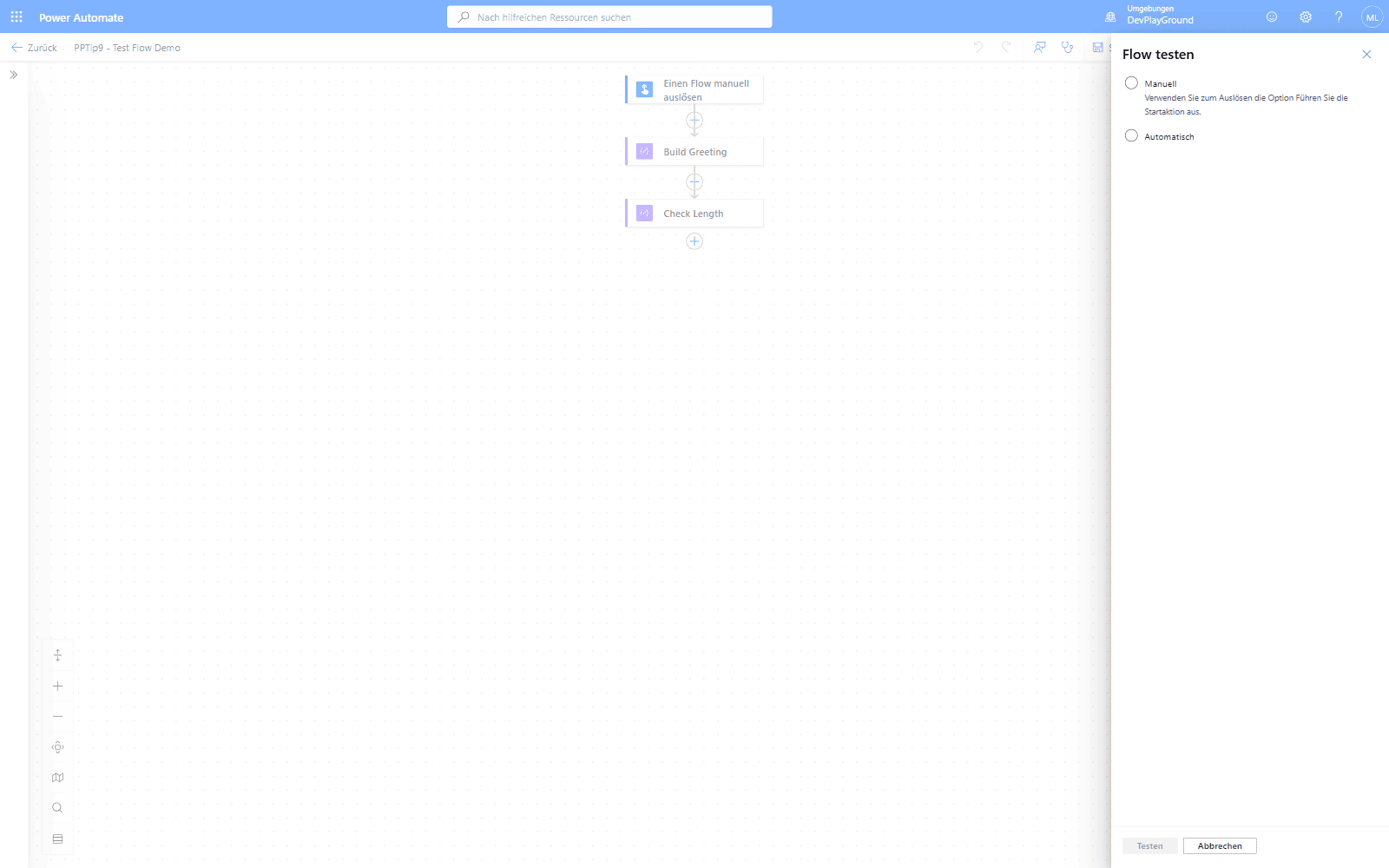 The Test flyout: choose Manuell to trigger the flow yourself and supply the trigger inputs.
3. Run the test and follow each step
🔸 Watch the execution and inspect the inputs/outputs of every action.
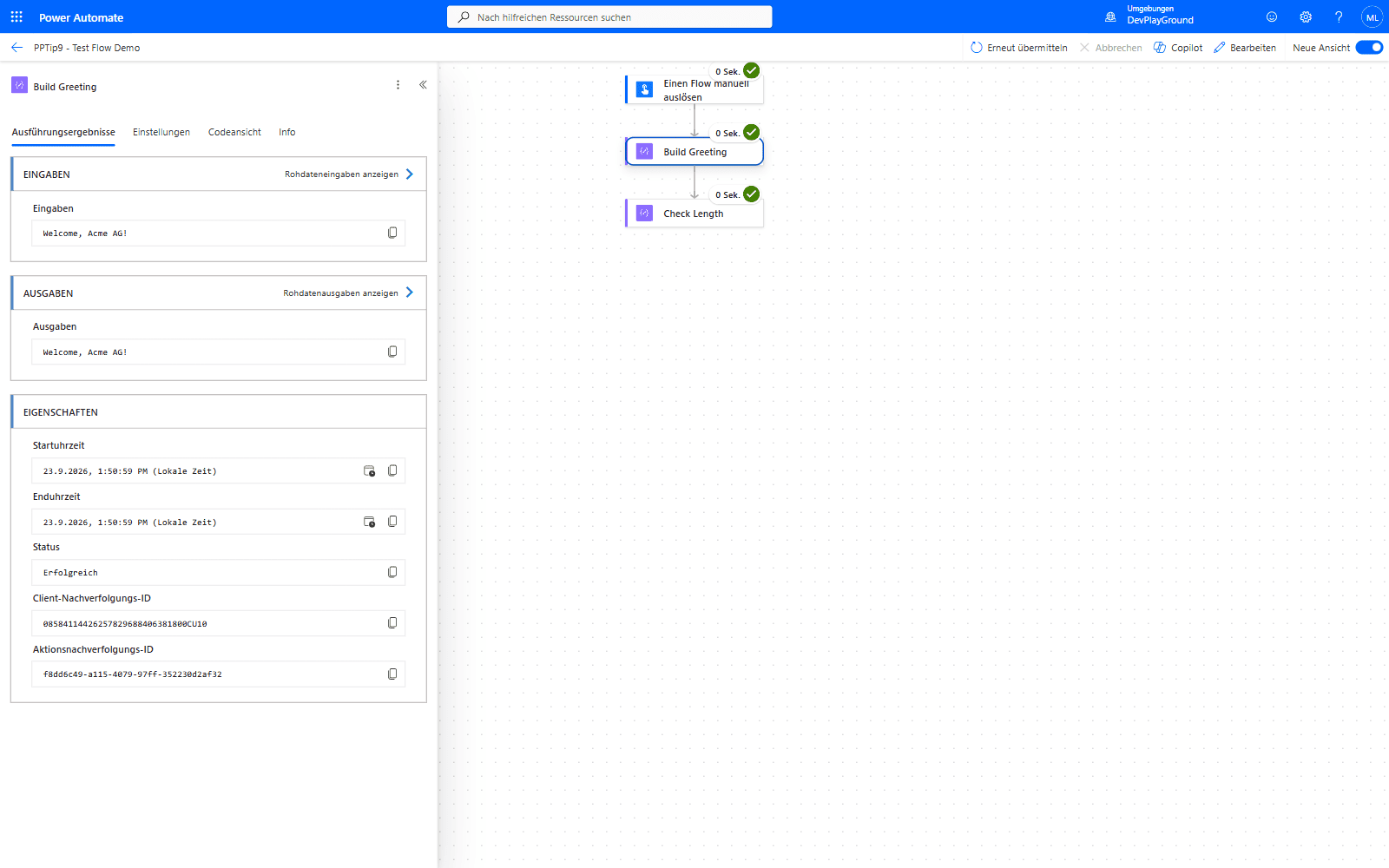 Real test run: the trigger input “Acme AG” flows through to the action’s actual output, “Welcome, Acme AG!” - inspectable action by action.
4. Analyze the results
🔸 Adjust the flow if necessary and re-run the test.
🎉 Result
The Test feature saves you time, prevents errors in live operation, and lets you improve flows iteratively.
🌟 Key Advantages
🔸 Detect and fix errors early.
🔸 No risk to the production system.
🔸 More efficient development and testing.
🎥 Video Tutorial
🛠️ FAQ
1. Is the Test feature available for all flows?
It’s available for most flow types, especially automated and scheduled flows.
2. Is real data processed during a test?
Usually test data is used, but you can also simulate your own inputs manually.
3. Can I run multiple test runs?
Yes, you can run as many tests as you like until your flow works optimally.
🔗 Related Tips
🔸 #PowerPlatformTip 36: ‘Static Result’ - mock an action’s output during testing instead of re-running expensive calls every time.
🔸 #PowerPlatformTip 51: ‘Which Flow Calls Which Flow’ - trace triggers across flows once your test spans more than one.
This tip is by Marcel Lehmann, Microsoft MVP (Business Applications) and founder of the Power Platform Academy – live Power Platform workshops, free or CHF 49. Join the workshop waitlist to get notified about new dates. For companies that want this implemented for them, see KMUpower – Power Platform consulting & automation for SMEs (DACH).