#PowerPlatformTip 141: Text to Array
TL;DR: Turn a multiline text block into a loopable array in Power Automate with
split(text, separator).
💡 Challenge
How do you process a copied multiline text block, each line a record (IDs, email addresses, URLs), in a Power Automate flow without splitting it by hand? Manual steps don’t scale and are error-prone.
✅ Solution
Use the split() expression to turn the multiline string into an array. With a simple separator (a line break, comma, or any character) you get an array you can loop through with “Apply to each”.
🔧 How It’s Done
1. Capture the text
🔸 Add a Compose action and paste your multiline text into it. Name it DataInput.
2. Define the separator
🔸 Add a second Compose containing only a line break (press Enter in the input). Name it Separator.
3. Loop the array
🔸 Add an Apply to each control and set its input to:
1
split(outputs('DataInput'), outputs('Separator'))
4. Process each line
🔸 Inside the loop, use Current item to trim, validate, call an API, or create records.
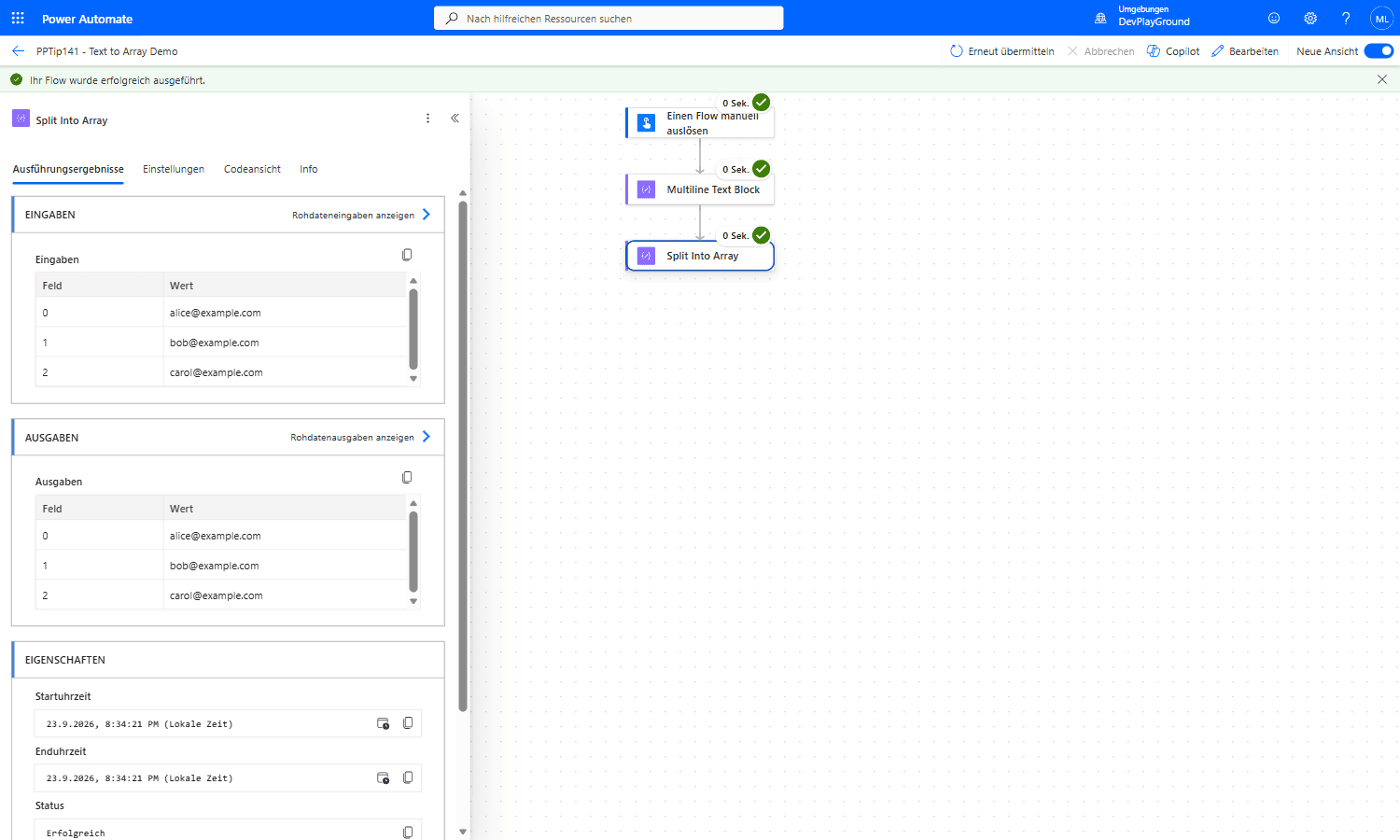 Real flow run: a 3-line block of email addresses goes in, and comes out as a clean 3-element array,
 alice@example.com, bob@example.com, carol@example.com, ready for “Apply to each”.
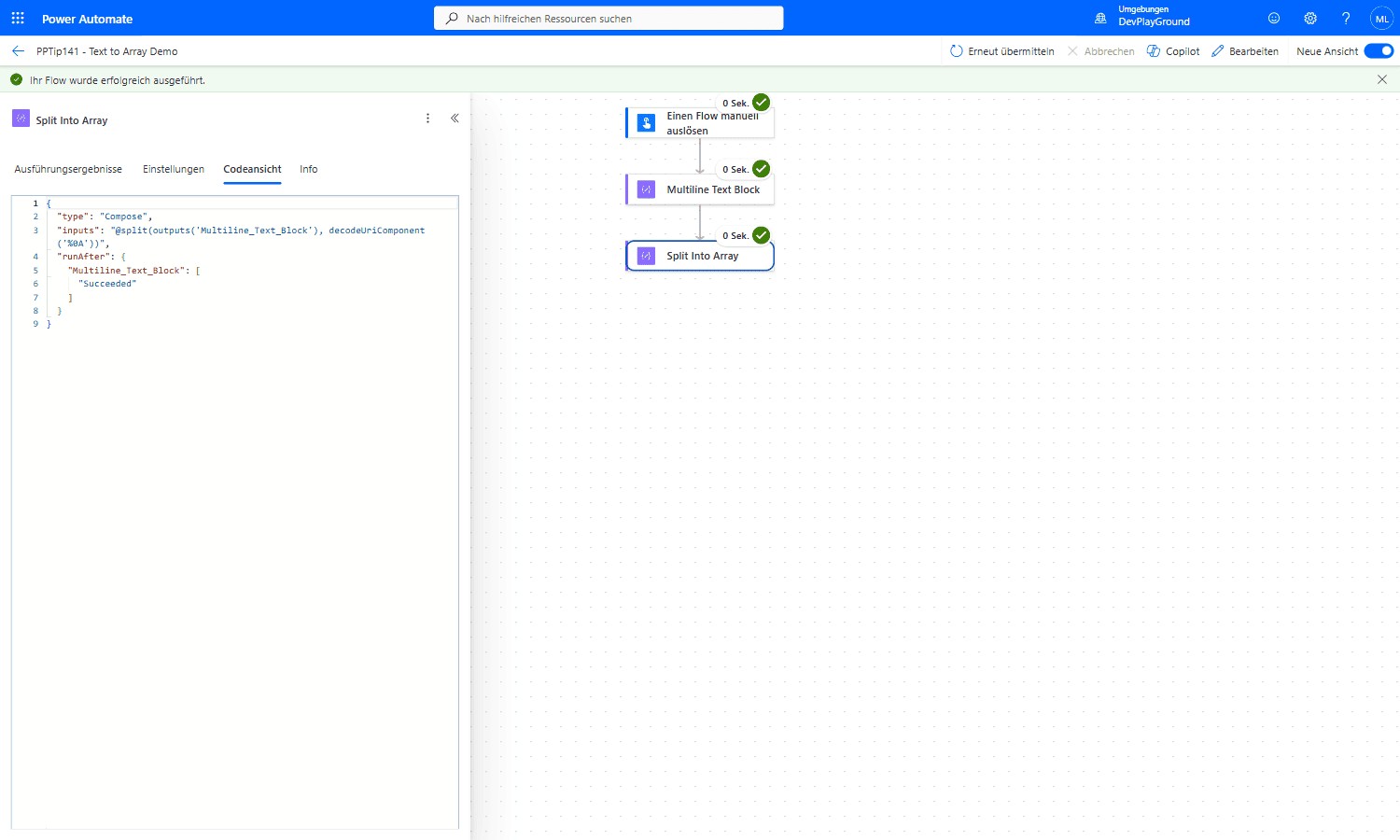 Real flow run: Code View confirms the actual expression,
 split(outputs('Multiline_Text_Block'), decodeUriComponent('%0A')), splitting on the newline character.
🎉 Result
Your flow now accepts any multiline text block and processes each line as a separate item. No more copy-paste, no manual cleanup, just reliable automation that scales.
🌟 Key Advantages
🔸 Saves time by automating repetitive data preparation
🔸 Flexible: works with lists from Excel, emails, Power Apps, or paste operations
🔸 Reduces human errors from manual handling
🔸 Scales to hundreds or thousands of lines without extra effort
🎥 Video Tutorial
🛠️ FAQ
1. What if my data is comma-separated instead of line breaks? Replace the Separator Compose content with a comma. The same split() expression produces the array.
2. Can the text originate from a Power App? Yes. Pass a multiline text input from Power Apps into the flow; the split logic stays identical.
3. How do I handle empty lines from accidental extra newlines? Add a condition inside the loop to check that trim(Current item) is not empty before processing.
🔗 Related Tips
- #PowerPlatformTip 120: PowerAutomate Text Processing 2.0, advanced text manipulation actions.
- #PowerPlatformTip 24: Merge Arrays or Tables, combine arrays after splitting.
This tip is by Marcel Lehmann, Microsoft MVP (Business Applications) and founder of the Power Platform Academy – live Power Platform workshops, free or CHF 49. Join the workshop waitlist to get notified about new dates. For companies that want this implemented for them, see KMUpower – Power Platform consulting & automation for SMEs (DACH).