#PowerPlatformTip 27: 'Overwrite existing files' (The Settings Hack)
Overwrite toggle missing in Power Automate's Create File action? Turn off Allow Chunking to unlock it and replace SharePoint files, no delete-and-recreate.
TL;DR: Turn off ‘Allow Chunking’ in the SharePoint Create File action’s settings to unlock the hidden Overwrite toggle.
💡 Challenge
You want to overwrite existing files in SharePoint using Power Automate’s Create File action, but the Overwrite toggle is missing or greyed out!
✅ Solution
Disable the Allow Chunking setting in your SharePoint connector, this instantly unlocks the Overwrite option.
🔧 How It’s Done
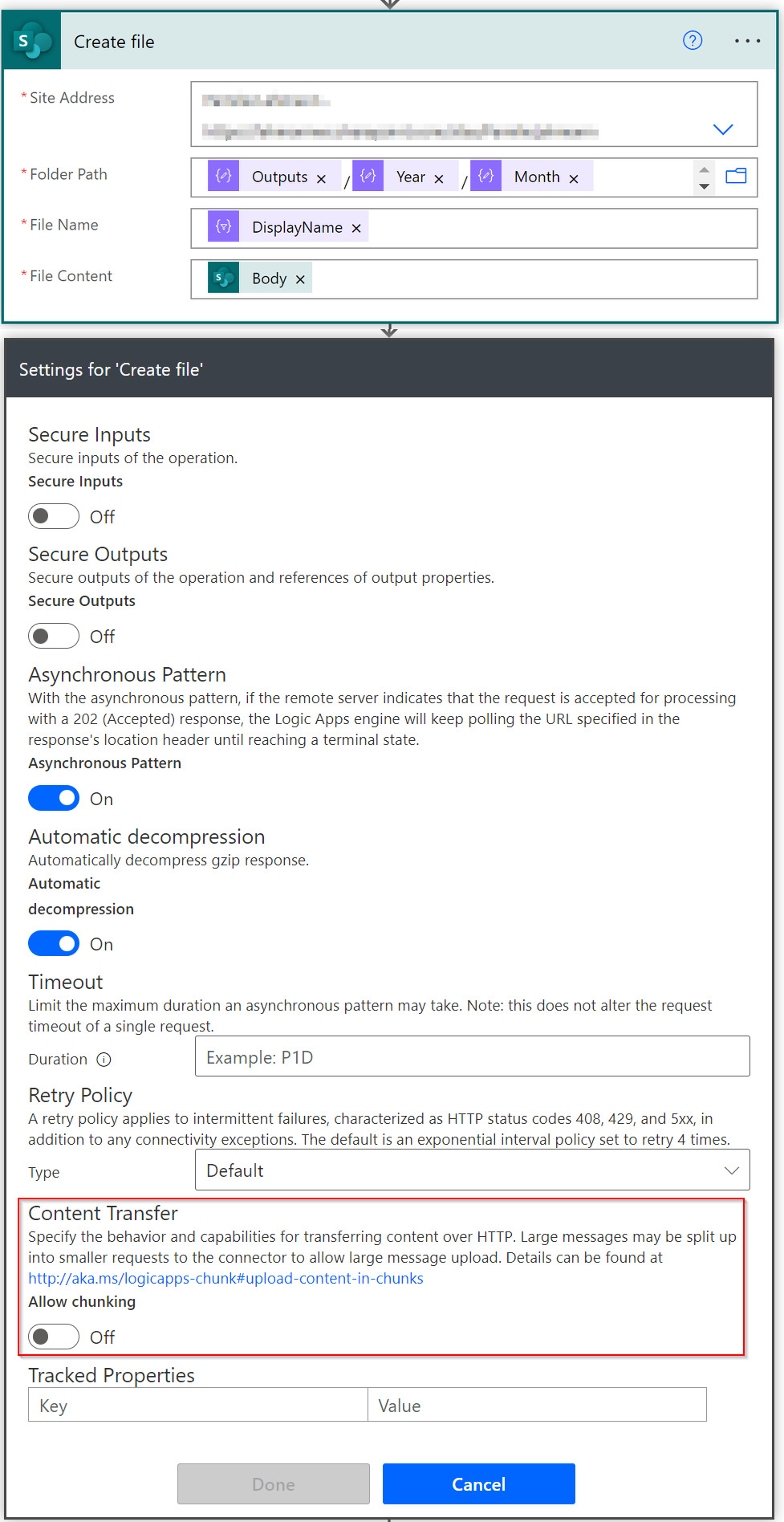
- Open your Create File action in Power Automate.
- Click Settings (top right of the action).
- Scroll to the Content Transfer section.
- Set Allow Chunking to Off.
- Close Settings, the Overwrite toggle now appears in your action!
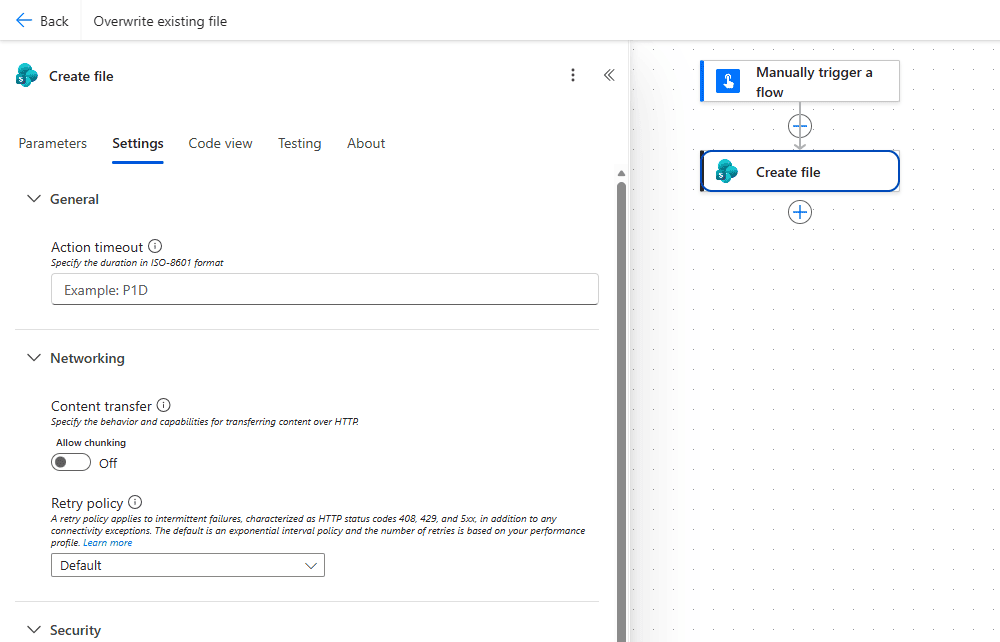 In the new designer the switch lives in the action’s Settings tab under Networking, Content transfer: Allow chunking set to Off.
⚠️ Trade-offs
🔸 Size limit: With chunking disabled, very large files can fail. Keep chunking enabled for large file scenarios.
🔸 Version History: Overwriting replaces the file entirely. Enable SharePoint versioning if you need rollback capability.
🎉 Result
Your files get cleanly replaced without duplicates, no delete-then-create workarounds needed.
🌟 Key Advantages
🔸 One-Click Fix: A simple settings toggle, no extra actions in your flow.
🔸 Faster Flows: Skip the “check if exists → delete → create” dance.
🔸 Cleaner Libraries: No more filename(1).docx clutter.
🛠️ FAQ
1. Why is the Overwrite option hidden by default?
Microsoft enables chunking by default to support large file uploads. Since chunked uploads can’t overwrite, the toggle is hidden until you disable chunking.
2. What happens if my file is too large with chunking off?
The flow can fail with a size limit error. For large files, keep chunking enabled and use a delete-then-create pattern instead.
3. Does overwriting preserve sharing permissions?
Yes, overwriting maintains existing sharing links, permissions, and metadata. The file ID stays the same.
4. Can I use this for OneDrive too?
OneDrive for Business has the Overwrite toggle available by default, no settings hack needed there!
🔗 Related Tips
- #PowerPlatformTip 121: Filtering SharePoint File Fields with OData, target the exact file before you overwrite it.
- #PowerPlatformTip 18: Download and Save Files, more file-handling patterns in flows.
This tip is by Marcel Lehmann, Microsoft MVP (Business Applications) and founder of the Power Platform Academy – live Power Platform workshops, free or CHF 49. Join the workshop waitlist to get notified about new dates. For companies that want this implemented for them, see KMUpower – Power Platform consulting & automation for SMEs (DACH).