#PowerPlatformTip 45: 'Use Scopes'
TL;DR: Group related actions into Scopes to organize flows, isolate errors, and reuse blocks of logic as templates.
💡 Challenge
Large Power Automate flows quickly become hard to read, troubleshoot, and maintain when related actions aren’t grouped and errors aren’t isolated.
✅ Solution
Use Scopes to group related actions, isolate errors, and reuse blocks of logic. Here are 7 reasons to use them:
1️⃣ Group related actions to keep your flow organized and easy to read. 2️⃣ Prevent errors from affecting the entire flow by isolating them within a Scope. 3️⃣ Simplify error handling and troubleshoot problems more efficiently. 4️⃣ Save time by reusing Scopes as templates or components in other flows. 5️⃣ Get a visual representation of the logical structure of your flow. 6️⃣ Isolate items or records that are difficult to delete. 7️⃣ Work around actions that can’t be copied to the clipboard by placing them inside a Scope.
🔧 How It’s Done
- Add a Scope action to your flow. 🔸 Drag the actions you want to group inside the Scope and give it a clear name.
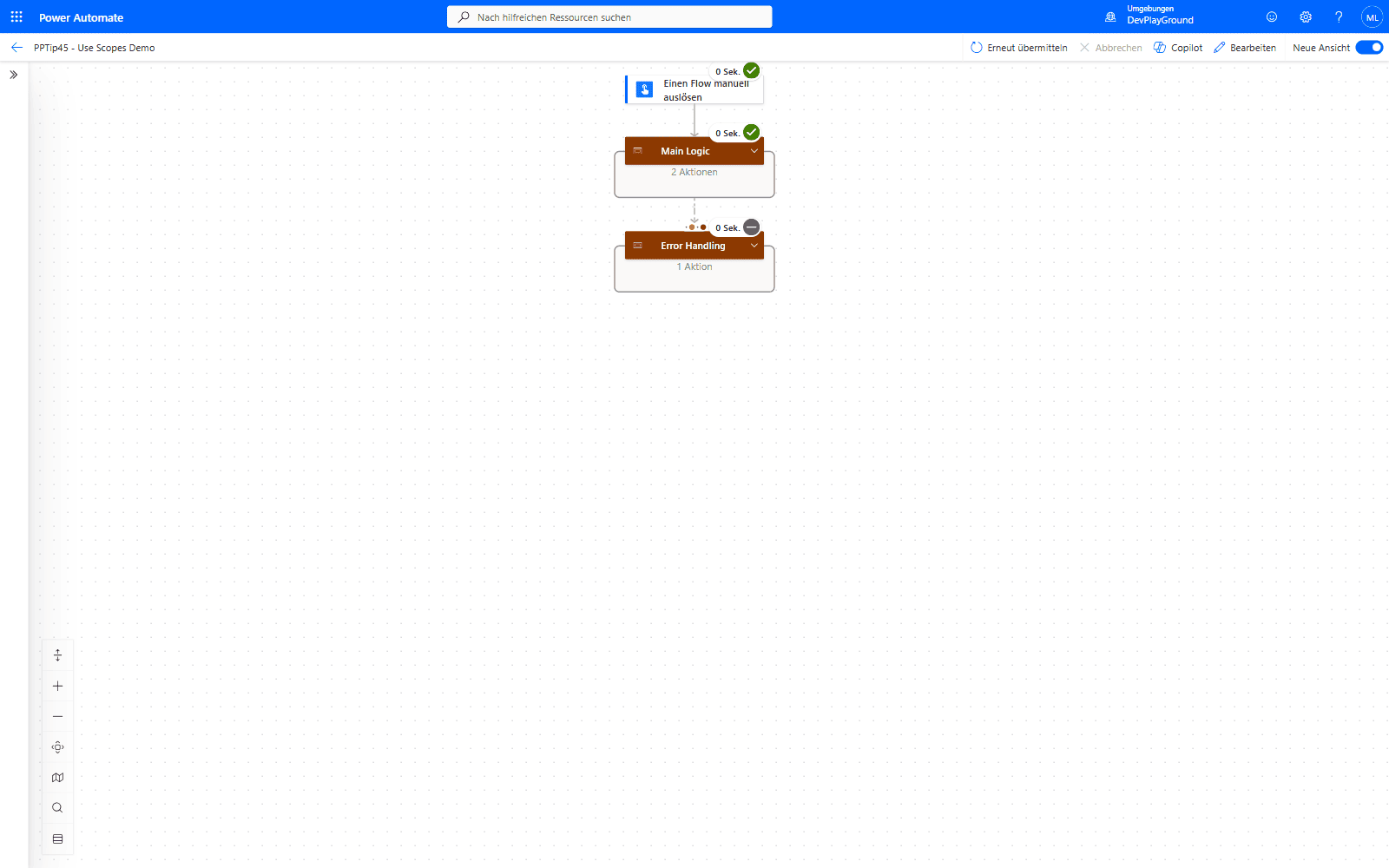 Real flow run, collapsed: “Main Logic” and “Error Handling” read as two clear, named blocks instead of a flat list of actions.
- Configure run-after / error handling around the Scope. 🔸 Add a second Scope configured to run only when the first fails, to centralize error handling.
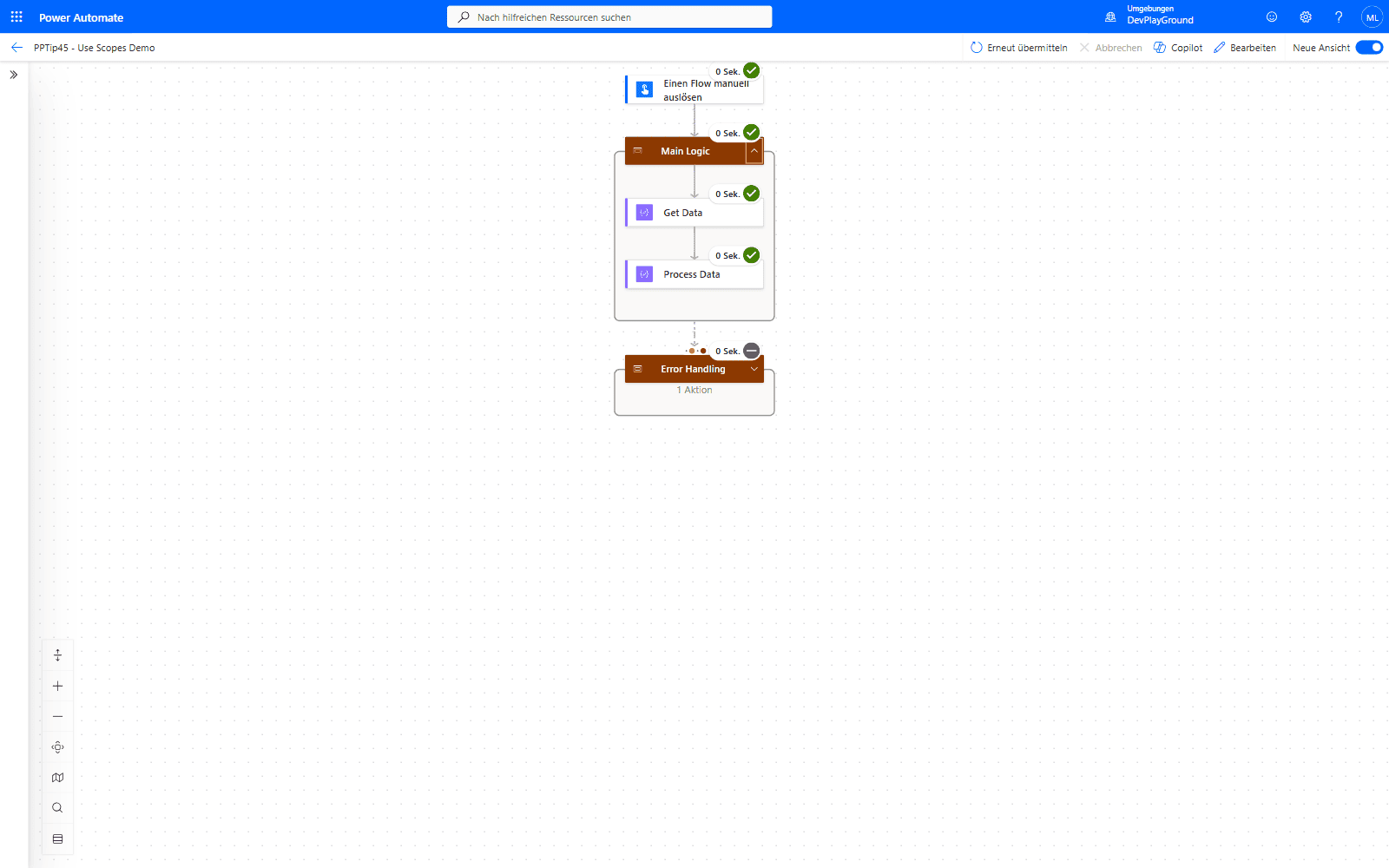 Same run, “Main Logic” expanded: the grouped actions only take up canvas space when you actually need to look at them.
- Reuse and validate. 🔸 Copy a Scope into other flows as a reusable component, then test that it behaves as expected.
🎉 Result
Your flows become more robust, readable, and easier to maintain, with centralized error handling and reusable building blocks.
🌟 Key Advantages
🔸 Better organization through grouped, named actions.
🔸 Isolated, centralized error handling.
🔸 Reusable logic you can copy between flows.
🎥 Video Tutorial
🛠️ FAQ
1. Can I configure different retry policies for different Scopes in the same flow?
Yes, each Scope can have its own retry policy and timeout settings, allowing fine-grained control over error handling strategies.
2. How many actions can I include within a single Scope?
There’s no strict limit, but for optimal performance and readability, consider keeping Scopes focused with 5-15 related actions.
3. Do Scopes affect the flow’s execution performance?
Scopes have minimal performance impact and improve execution by providing better error handling and clearer structure.
🔗 Related Tips
🔸 #PowerPlatformTip 12: ‘Components for PowerAutomate’ - use My Clipboard to move a Scope like this one into any other flow.
🔸 #PowerPlatformTip 118: ‘Copy Actions in Switch/Condition’ - avoid the errors that appear when pasting a Scope into a Switch or Condition branch.
This tip is by Marcel Lehmann, Microsoft MVP (Business Applications) and founder of the Power Platform Academy – live Power Platform workshops, free or CHF 49. Join the workshop waitlist to get notified about new dates. For companies that want this implemented for them, see KMUpower – Power Platform consulting & automation for SMEs (DACH).